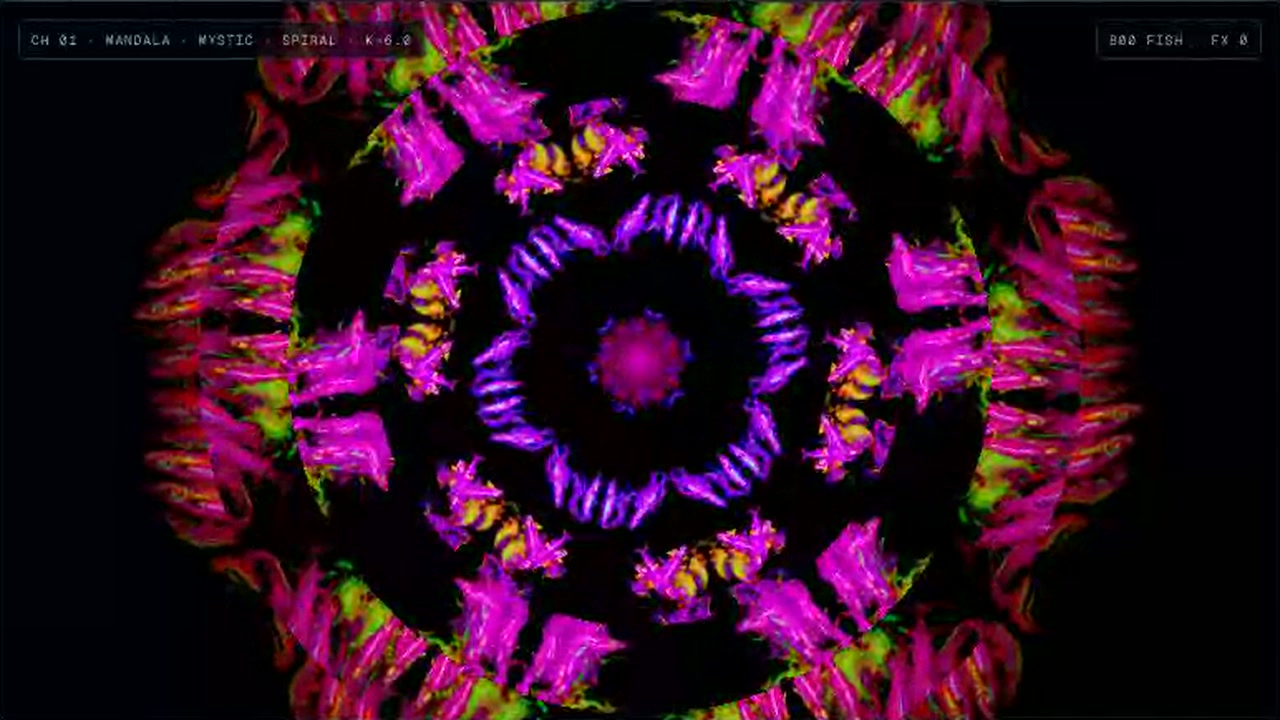
You control a live fish visual instrument. You pick a fish, set the scene, mode and color, and trigger effects while the visuals respond to audio.
Bright fish form shifting rings against a black background. The page offers a mandala scene and open-water free swim, with demo pulse, microphone and audio file input options.
How to use it
- Pick a fish from the fish deck.
- Choose a scene, mode and color, then adjust speed and depth.
- Select an audio input and trigger effects or cues as the visuals play.
- Use blackout to hide the output or reset to start over.
Controls
| Input | Action |
|---|---|
| Fish and scene | |
| 1–8 | Select a fish |
| 0 | Change scene |
| 1–3 | Select mode |
| C/V | Change color |
| Motion and output | |
| ↑/↓ | Adjust speed |
| ←/→ | Adjust depth |
| F | Toggle output view |
| Tab | Toggle blackout |
| Effects and cues | |
| T/G/H/J/K | Strobe, rush, scatter, hue flip or kaleido |
| Space+1–8 | Trigger FX |
| F1–F8 | Trigger a cue |
| P | Toggle auto |
Features
- 8 fish choices and a school option
- Mandala and free-swim scenes
- Strobe, rush, scatter, hue flip and kaleido effects
- Demo pulse, microphone and audio file inputs
- Speed, depth, size and color controls




Comments