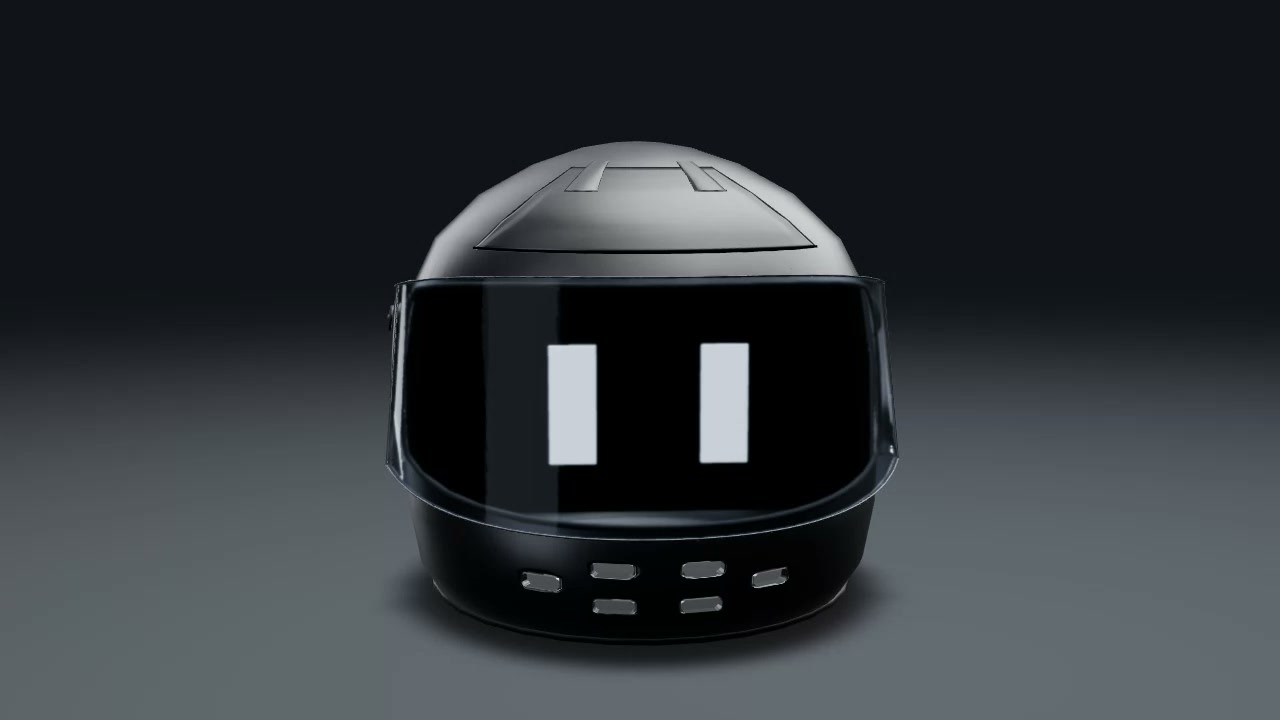
You inspect a 3D helmet by dragging to turn it. You can zoom in on the visor and vents.
You see a dark shell with a glossy black visor and small vents along the chin. Studio lighting reveals the helmet’s shape as you turn it from the front toward the back.
How to explore
- Open the space to see the helmet.
- Drag to view it from different sides.
- Scroll or pinch to zoom in on the visor and vents.
Controls
| Input | Action |
|---|---|
| Drag | Turn the helmet |
| Scroll | Zoom in or out |
| Pinch | Zoom in or out |
Features
- Rotatable 3D helmet
- Glossy visor with bright reflections
- Chin vents and top shell details
- Studio lighting against a dark background







Comments